SeekSmart
ToolsUse casesIndustriesPlaybooksAI auditResources
Sign inStart audit

Find where AI pays back before you buy.

Start the free audit

Rules-based audits, researched tools, and pilot plans for small businesses.

ExploreToolsUse casesIndustriesCategoriesPlaybooks
DecideAI auditOpportunitiesMethodologyResourcesArticles
CompanySubmit a toolFeedbackPrivacyTerms

SeekSmart

© 2026 SeekSmartClear decisions before new software.
Tools/Video
Submagic logo

Submagic.

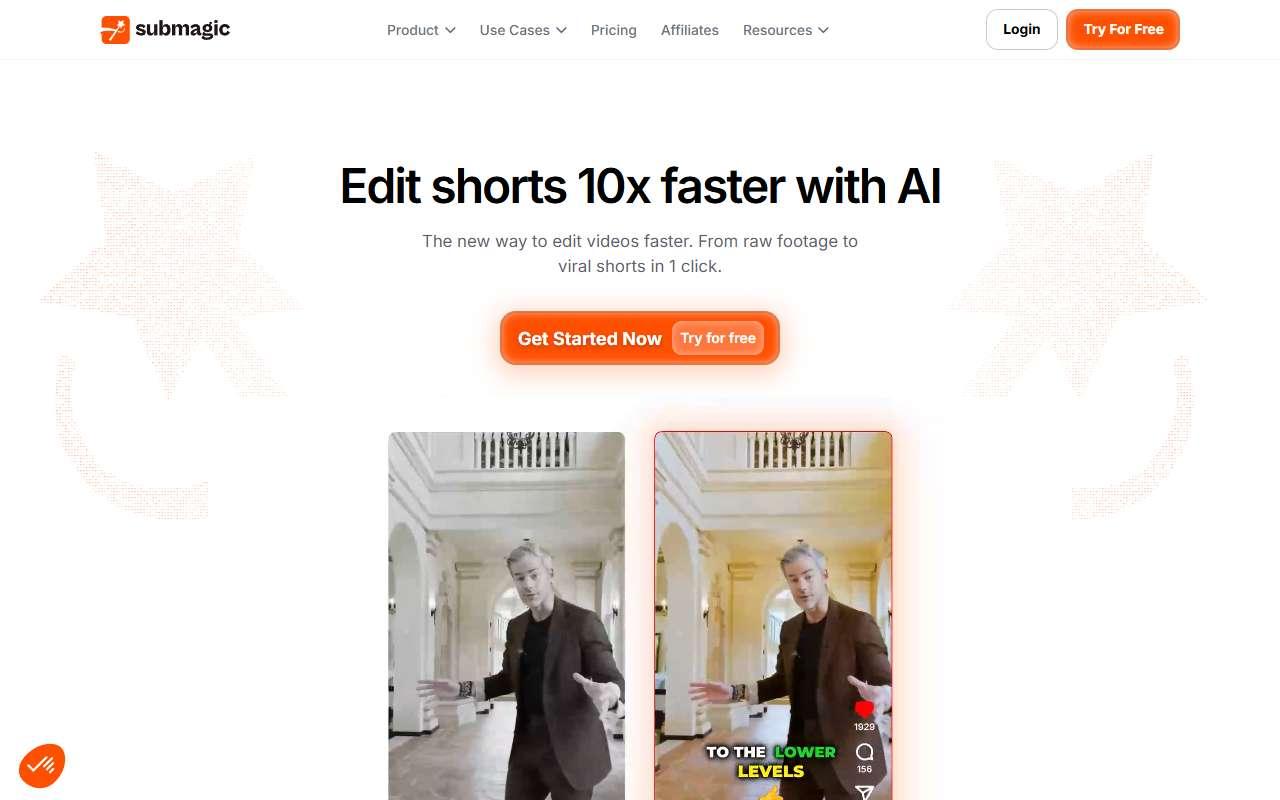
Adds animated captions, B-roll, zooms, and sound effects to short videos for social platforms.

FreemiumFree planby Submagic
Visit website
Compare
76Avg fit

Best fit

Social media content

87/100

Category
Video
Pricing
Freemium, from $19/mo
Popularity
66/100
Setup
Moderate
Listing
Needs verification
submagic.co
Submagic website
Homepage, captured October 2026

Overview

What it does.

Submagic is a caption-first editor for short-form video. Users upload a clip and the tool transcribes it, generates styled animated captions with emoji and keyword highlights, removes silences, adds auto zooms and transitions, inserts stock B-roll, and suggests a description and hashtags. A Magic Clips add-on cuts long videos into shorts. It is used by small businesses and agencies to make talking-head videos, testimonials, and promotional reels look polished in minutes. Caption styles can be saved as templates for brand consistency, and output supports vertical, square, and horizontal formats. It integrates with YouTube and Google Drive for imports and offers an API on the Business plan. Each plan caps the number of videos per month and the maximum length per video, so it is designed for high-volume short clips rather than long edits. Caption accuracy is strong in English and major European languages but weaker for niche terms and heavy accents.

Pricing
Free plan (3 short videos/month, watermark); Starter $19/month; Pro $39/month; Business + API $69/month (Oct 2026).
Works with
YouTubeTikTokInstagramGoogle DriveZapier
Features
API accessBrand kitExport optionsTemplatesTranscriptionVideo editing
Checked
October 2026

Fit

Where it fitsbest.

Open top use case
Use caseFitEffortRisk
  • Social media content

    Captioned short clips with zooms and B-roll ready for Reels and TikTok.

    1-2 weeks to value · Low effort · Medium risk · low

    87Best fit
    LowMedium
  • Video generation

    Enhancing existing footage rather than generating new scenes.

    2-4 weeks to value · Medium effort · Medium risk · low

    65Review
    MediumMedium

Verdict

Who it suits.Who it doesn’t.

Best for

  • Businesses posting frequent talking-head shorts that need eye-catching captions quickly.
  • Captioned short clips with zooms and B-roll ready for Reels and TikTok.
  • Enhancing existing footage rather than generating new scenes.

Not ideal for

  • Long-form editing or projects needing a full multi-track timeline.
  • Video count and length limits per plan constrain heavy users.
  • It cannot create video from a script alone.

Pays back on

Relatedopportunities.

Run the audit
  • 01Build a content repurposing engine
  • 02Generate governed brand content
  • 03Create training content
  • 04Repurpose content across channels

Compare

Alternatives.

All video tools
ToolCategoryPricingScore
  • Descript logo

    Descript

    AI-powered video and podcast editor with transcription-first workflows.

    VideoFreemium

    81
  • OpusClip logo

    OpusClip

    Turns long videos and podcasts into captioned short clips for TikTok, Reels, and Shorts.

    VideoFreemium
    78
  • VI

    Vizard

    AI clipping tool that cuts long videos into social-ready shorts with captions and scheduled posting.

    VideoFreemium
    62
  • Captions logo

    Captions

    Mobile and desktop app for captioned talking-head videos with AI editing, dubbing, and AI actors.

    VideoFreemium
    70

Not paid placement. Verified means the listing passed our current editorial checks; it does not guarantee fit for every workflow.