SeekSmart
ToolsUse casesIndustriesPlaybooksAI auditResources
Sign inStart audit

Find where AI pays back before you buy.

Start the free audit

Rules-based audits, researched tools, and pilot plans for small businesses.

ExploreToolsUse casesIndustriesCategoriesPlaybooks
DecideAI auditOpportunitiesMethodologyResourcesArticles
CompanySubmit a toolFeedbackPrivacyTerms

SeekSmart

© 2026 SeekSmartClear decisions before new software.
Tools/Video
VEED logo

VEED.

Browser video editor with auto subtitles, AI avatars, text-to-speech, and screen recording.
FreemiumFree planby VEED Limited
Visit website
Compare
76Avg fit

Best fit

Social media content

85/100

Category
Video
Pricing
Freemium, from $19/mo
Popularity
80/100
Setup
Moderate
Listing
Needs verification
veed.io
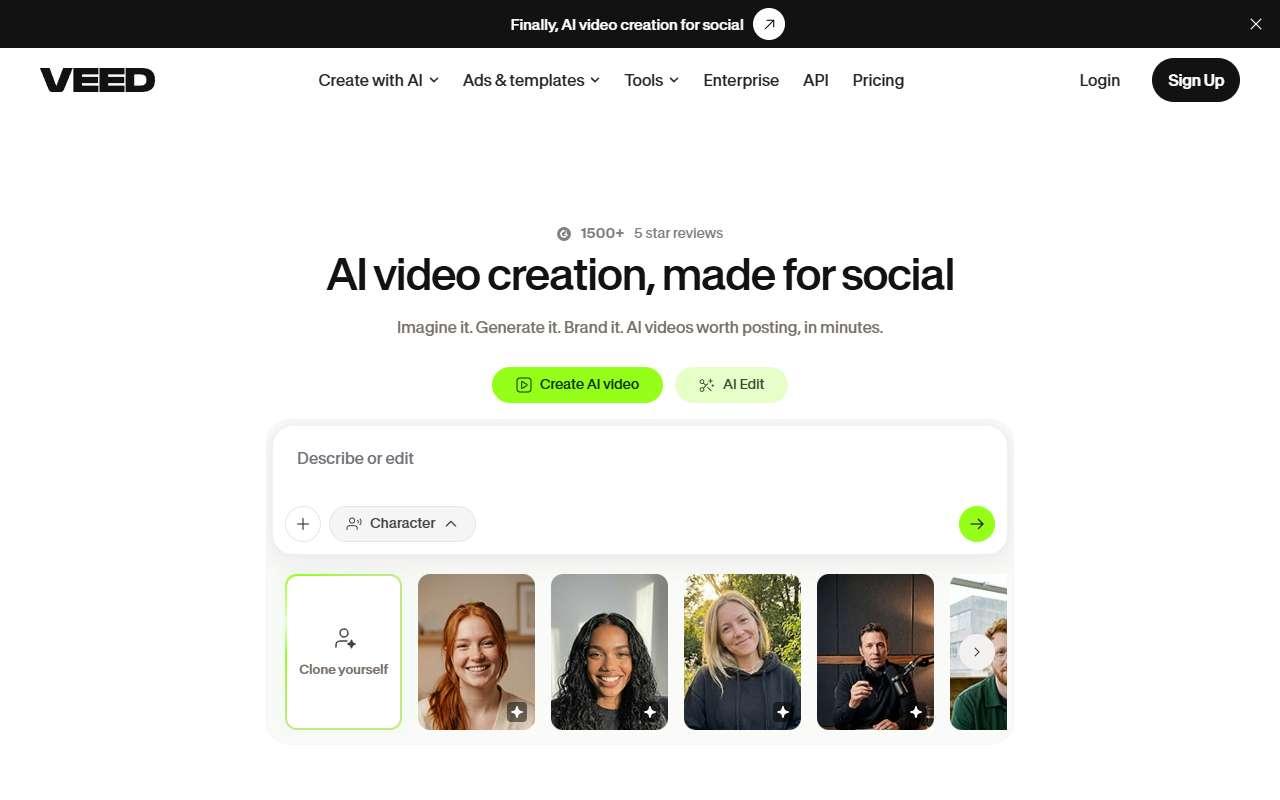
VEED website
Homepage, captured October 2026

Overview

What it does.

VEED is an online video editor aimed at marketers and small teams that do not want desktop software. It combines a timeline editor with AI features: automatic subtitles in over 100 languages, translation of captions, text-to-speech voiceovers, AI avatars, background noise removal, eye contact correction, and a screen and webcam recorder. Small businesses use it for product explainers, social ads, customer testimonials, and internal training clips. Brand kits keep fonts and colors consistent across projects, and exports can go straight to YouTube, TikTok, and Instagram. It also connects with Google Drive, Dropbox, Zoom, and Zapier. The Lite plan removes the watermark and allows 1080p export; Pro adds 4K, more subtitle minutes, avatars, and translation volume. The pricing structure and plan names changed during 2026, and AI features are credit-metered, so heavy avatar or dubbing use can exceed plan allowances.

Pricing
Free plan with watermark; Lite $19/month ($12/month billed yearly); Pro $49/month ($29/month billed yearly); Enterprise custom (Oct 2026).
Works with
YouTubeTikTokInstagramGoogle DriveDropboxZoomZapierCanva
Features
Brand kitTeam workspaceTemplatesText to speechTranscriptionTranslationVideo editing
Checked
October 2026

Fit

Where it fitsbest.

Open top use case
Use caseFitEffortRisk
  • Social media content

    Subtitled, branded short videos produced in the browser by non-editors.

    1-2 weeks to value · Low effort · Medium risk · low

    85Best fit
    LowMedium
  • Video localization

    Translating captions and generating voiceovers in several languages for the same clip.

    2-5 weeks to value · Medium effort · Medium risk · low

    72Review
    MediumMedium
  • Training content

    Screen-recorded how-to videos with captions for staff onboarding.

    2-4 weeks to value · Medium effort · Medium risk · low

    70Review
    MediumMedium

Verdict

Who it suits.Who it doesn’t.

Best for

  • Small teams that want one browser tool for editing, subtitles, and simple AI voiceovers.
  • Subtitled, branded short videos produced in the browser by non-editors.
  • Screen-recorded how-to videos with captions for staff onboarding.
  • Translating captions and generating voiceovers in several languages for the same clip.

Not ideal for

  • Users needing offline editing or precise professional color and audio work.
  • Subtitle minutes and AI credits are capped per plan.
  • No learning management features for tracking completion.
  • Dubbing quality is below dedicated tools like Rask AI for lip-synced results.

Pays back on

Relatedopportunities.

Run the audit
  • 01Build a content repurposing engine
  • 02Generate governed brand content
  • 03Improve employee learning and enablement
  • 04Localize content and training assets

Compare

Alternatives.

All video tools
ToolCategoryPricingScore
  • Canva logo

    Canva

    Design platform with AI-assisted image, copy, and presentation tools.

    DesignFreemium
    89
  • Descript logo

    Descript

    AI-powered video and podcast editor with transcription-first workflows.

    VideoFreemium
    81
  • CapCut logo

    CapCut

    Free-to-start video editor with AI captions, templates, and background removal for social clips.

    VideoFreemium
    92
  • Kapwing logo

    Kapwing

    Collaborative online video editor with AI subtitles, dubbing, repurposing, and brand templates.

    VideoFreemium
    72

Not paid placement. Verified means the listing passed our current editorial checks; it does not guarantee fit for every workflow.