SeekSmart
ToolsUse casesIndustriesPlaybooksAI auditResources
Sign inStart audit

Find where AI pays back before you buy.

Start the free audit

Rules-based audits, researched tools, and pilot plans for small businesses.

ExploreToolsUse casesIndustriesCategoriesPlaybooks
DecideAI auditOpportunitiesMethodologyResourcesArticles
CompanySubmit a toolFeedbackPrivacyTerms

SeekSmart

© 2026 SeekSmartClear decisions before new software.
Tools/Productivity
WF

Wispr Flow.

Voice dictation app that turns speech into clean, formatted text in any desktop or mobile application.
FreemiumFree planby Wispr
Visit website
Compare
69Avg fit

Best fit

Writing assistant

78/100

Category
Productivity
Pricing
Freemium, from $15/mo
Popularity
58/100
Setup
Low
Listing
Needs verification
wisprflow.ai
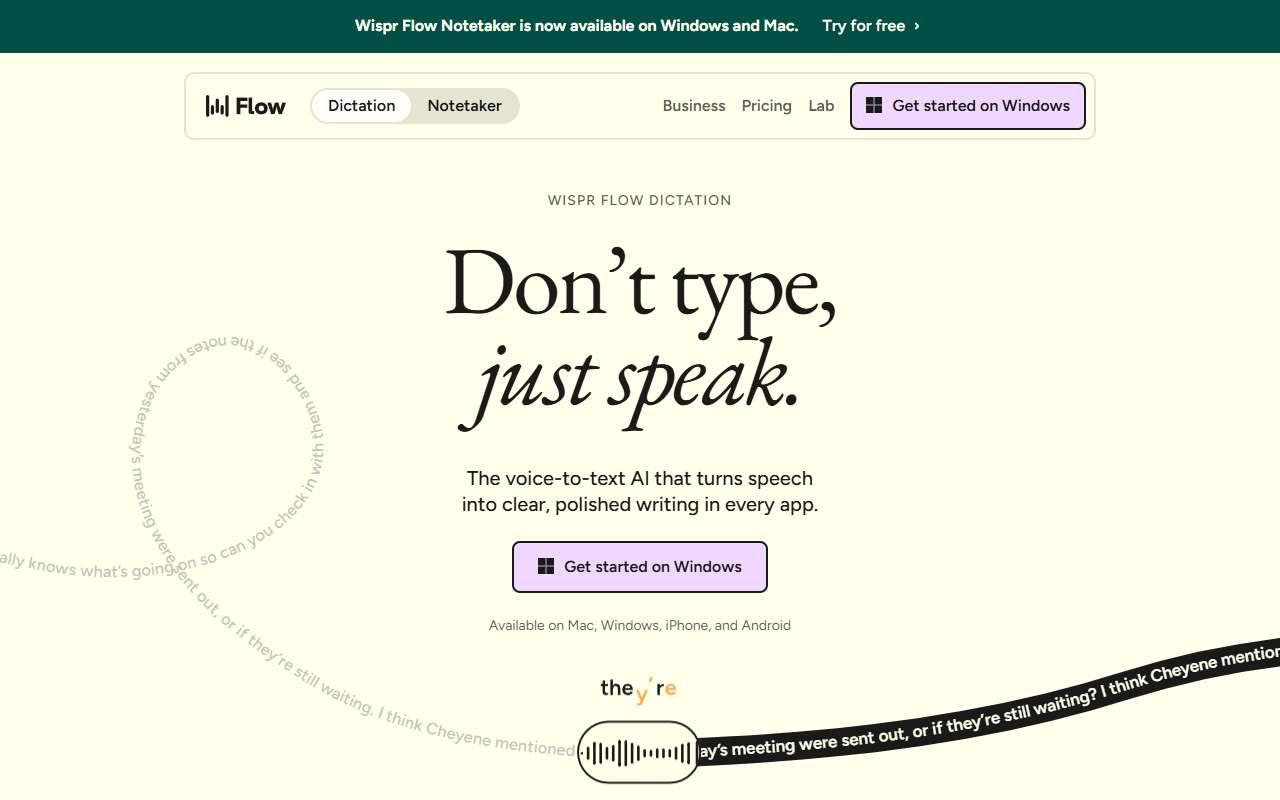
Wispr Flow website
Homepage, captured October 2026

Overview

What it does.

Wispr Flow is a dictation tool that runs on Mac, Windows, and iPhone. The user holds a key, speaks naturally, and the app inserts cleaned-up text into whatever application is active, removing filler words, fixing punctuation, and matching the tone of the destination such as a Slack message versus an email. It learns custom vocabulary like product and client names and supports many languages. A built-in notetaker records meetings on Zoom, Google Meet, and Microsoft Teams and produces summaries. Small business owners use it to answer email, write proposals, and update CRM notes several times faster than typing, especially on mobile. Team plans add centralized billing, a shared dictionary, and snippets. Because it works at the operating system level, no integration setup is needed for most apps. The main caveat is that dictation works best in quiet spaces, and audio is processed in the cloud, so businesses with strict data rules should check the Growth tier's HIPAA and admin controls.

Pricing
Free plan with 2,000 dictated words per week; Pro $15/user/month ($12 annual); Growth $23/user/month ($18 annual) adds SSO and HIPAA; Enterprise custom (Oct 2026).
Works with
SlackGmailNotionGoogle DocsMicrosoft WordZoomGoogle MeetMicrosoft Teams
Features
IntegrationsMeeting notesTeam workspaceTranscriptionVoice support
Checked
October 2026

Fit

Where it fitsbest.

Open top use case
Use caseFitEffortRisk
  • Writing assistant

    Dictating emails, messages, and notes that come out formatted and ready to send.

    1 week to value · Low effort · Low risk · low

    78Strong
    LowLow
  • General assistant

    Speeding up daily communication for people who think faster than they type.

    1-2 weeks to value · Low effort · Medium risk · low

    68Review
    LowMedium
  • Audio transcription

    Capturing meeting notes and voice memos without a separate transcription service.

    1 week to value · Low effort · Medium risk · low

    62Review
    LowMedium

Verdict

Who it suits.Who it doesn’t.

Best for

  • Owners and staff who write a lot of messages and want to speak instead of type across every app.
  • Capturing meeting notes and voice memos without a separate transcription service.
  • Speeding up daily communication for people who think faster than they type.
  • Dictating emails, messages, and notes that come out formatted and ready to send.

Not ideal for

  • Open-plan or noisy environments, or teams that mainly need meeting transcription rather than dictation.
  • The notetaker has weekly limits on the free plan and fewer features than dedicated meeting tools.
  • It does not answer questions or search data; it only converts speech to text.
  • Long-form structured documents still need editing after dictation.

Pays back on

Relatedopportunities.

Run the audit
  • 01Create meeting notes and action items
  • 02Summarize sales and client calls
  • 03Draft finance summaries
  • 04Summarize operational reports
  • 05Make internal knowledge searchable
  • 06Create an internal answer assistant

Compare

Alternatives.

All productivity tools
ToolCategoryPricingScore
  • Otter.ai logo

    Otter.ai

    AI meeting transcription and notes for calls, interviews, and teams.

    MeetingsFreemium
    72
  • Microsoft 365 Copilot logo

    Microsoft 365 Copilot

    AI assistant embedded across Microsoft 365 apps for documents, email, meetings, and work data.

    ProductivityPaid
    93
  • Granola logo

    Granola

    AI meeting notebook that turns personal notes and transcripts into polished summaries.

    MeetingsFreemium
    78

Not paid placement. Verified means the listing passed our current editorial checks; it does not guarantee fit for every workflow.