SeekSmart
ToolsUse casesIndustriesPlaybooksAI auditResources
Sign inStart audit

Find where AI pays back before you buy.

Start the free audit

Rules-based audits, researched tools, and pilot plans for small businesses.

ExploreToolsUse casesIndustriesCategoriesPlaybooks
DecideAI auditOpportunitiesMethodologyResourcesArticles
CompanySubmit a toolFeedbackPrivacyTerms

SeekSmart

© 2026 SeekSmartClear decisions before new software.
Tools/Data Analysis
Coefficient logo

Coefficient.

Google Sheets and Excel add-on that syncs live data from CRMs, databases and ad platforms, with AI formulas and chart builders.

FreemiumFree planby Coefficient, Inc.
Visit website
Compare
73Avg fit

Best fit

Spreadsheet automation

88/100

Category
Data Analysis
Pricing
Freemium, from $49/mo
Popularity
60/100
Setup
Moderate
Listing
Needs verification
coefficient.io
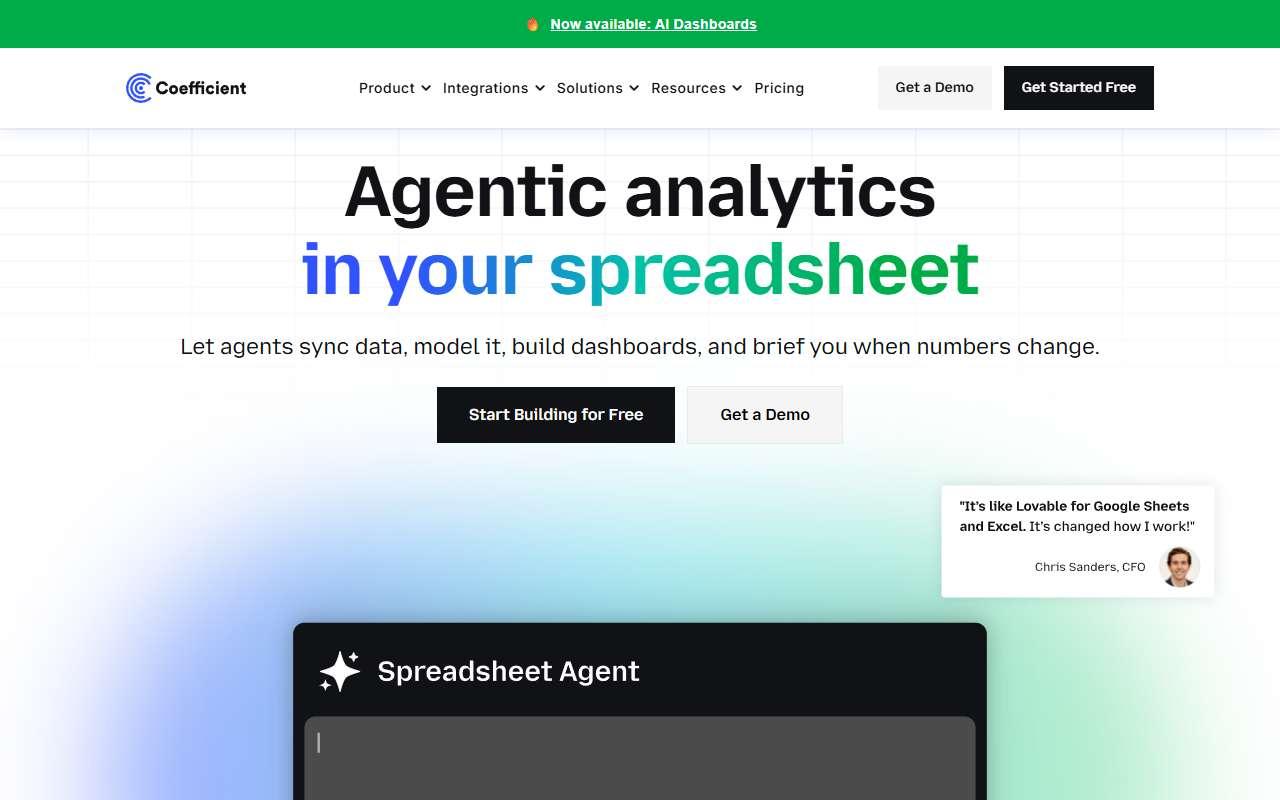
Coefficient website
Homepage, captured October 2026

Overview

What it does.

Coefficient is an add-on for Google Sheets and Microsoft Excel that connects spreadsheets to live business systems. It imports data from Salesforce, HubSpot, QuickBooks, Shopify, Stripe, Google Analytics, Google Ads, Snowflake, BigQuery, Postgres and MySQL on a schedule, so reports stay current without CSV exports, and it can write data back to the source for bulk updates. AI features include on-sheet GPT functions for classifying, extracting and summarising cells, plus builders that generate SQL, pivots and charts from natural-language requests. Alerts send Slack or email notifications when values change. It is used by revenue operations, finance and marketing staff at small companies who already live in spreadsheets and want them to be the reporting layer. A pilot is connecting HubSpot or QuickBooks on the free plan and building one auto-refreshing pipeline or cash report. Caveat: the free plan limits rows and refresh frequency, and per-user pricing on Pro adds up if many people need to own their own connections.

Pricing
Free plan with limited connectors and AI functions; Starter $49/month; Pro $99/user/month up to 5 users; Enterprise custom; annual billing saves 17% (Oct 2026).
Works with
Google SheetsMicrosoft ExcelSalesforceHubSpotQuickBooksSnowflakeShopifySlack
Features
CRM syncData warehouse connectionExport optionsIntegrationsSpreadsheet analysis
Checked
October 2026

Fit

Where it fitsbest.

Open top use case
Use caseFitEffortRisk
  • Spreadsheet automation

    Scheduled imports that replace manual CSV exports and keep reports refreshed automatically.

    2-4 weeks to value · Medium effort · Medium risk · low

    88Best fit
    MediumMedium
  • Data analysis

    AI functions and SQL builders that let non-technical users analyse live data in the sheet they already use.

    1-3 weeks to value · Medium effort · Medium risk · low

    74Review
    MediumMedium
  • FP&A reporting

    Live actuals from QuickBooks or Xero flowing into budget-versus-actual models in Sheets.

    2-4 weeks to value · Medium effort · Medium risk · low

    70Review
    MediumMedium
  • CRM update automation

    Bulk-updating CRM records from a cleaned spreadsheet with write-back.

    2-5 weeks to value · Medium effort · Medium risk · low

    60Review
    MediumMedium

Verdict

Who it suits.Who it doesn’t.

Best for

  • Operations and finance teams that want live CRM, accounting and warehouse data inside Google Sheets or Excel with AI helpers.
  • Bulk-updating CRM records from a cleaned spreadsheet with write-back.
  • AI functions and SQL builders that let non-technical users analyse live data in the sheet they already use.
  • Live actuals from QuickBooks or Xero flowing into budget-versus-actual models in Sheets.

Not ideal for

  • Teams that need a full BI tool with governed dashboards or those with data volumes beyond spreadsheet limits.
  • Write-back is available only on paid plans and needs careful testing.
  • Analysis is bounded by spreadsheet performance.
  • No forecasting engine; models remain hand-built.

Pays back on

Relatedopportunities.

Run the audit
  • 01Improve sales and service agent workflows
  • 02Automate prospect research
  • 03Analyze recurring business reports
  • 04Create finance planning narratives
  • 05Create executive BI narratives
  • 06Automate document intake

Compare

Alternatives.

All data analysis tools
ToolCategoryPricingScore
  • Airtable AI logo

    Airtable AI

    AI features inside Airtable for structured data, workflows, summaries, and app building.

    Data AnalysisPaid
    73
  • Datarails logo

    Datarails

    FP&A platform with AI support for financial reporting, variance analysis, forecasting, and Excel workflows.

    FinancePaid
    74
  • Quadratic logo

    Quadratic

    AI spreadsheet where cells can run Python, SQL and JavaScript, with a chat assistant that writes code and charts from prompts.

    Data AnalysisFreemium
    55
  • Better Analyst logo

    Better Analyst

    AI data analyst formerly known as Formula Bot: generates Excel and Sheets formulas, cleans data and builds dashboards from uploads.

    Data AnalysisFreemium
    52

Not paid placement. Verified means the listing passed our current editorial checks; it does not guarantee fit for every workflow.