SeekSmart
ToolsUse casesIndustriesPlaybooksAI auditResources
Sign inStart audit

Find where AI pays back before you buy.

Start the free audit

Rules-based audits, researched tools, and pilot plans for small businesses.

ExploreToolsUse casesIndustriesCategoriesPlaybooks
DecideAI auditOpportunitiesMethodologyResourcesArticles
CompanySubmit a toolFeedbackPrivacyTerms

SeekSmart

© 2026 SeekSmartClear decisions before new software.
Tools/Data Analysis
Polymer logo

Polymer.

AI dashboard tool that turns spreadsheets and ad or e-commerce data into interactive dashboards and answers questions in plain English.

Paidby Polymer Search, Inc.
Visit website
Compare
74Avg fit

Best fit

BI dashboard analysis

85/100

Category
Data Analysis
Pricing
Paid, from $10/mo
Popularity
50/100
Setup
Moderate
Listing
Needs verification
polymersearch.com
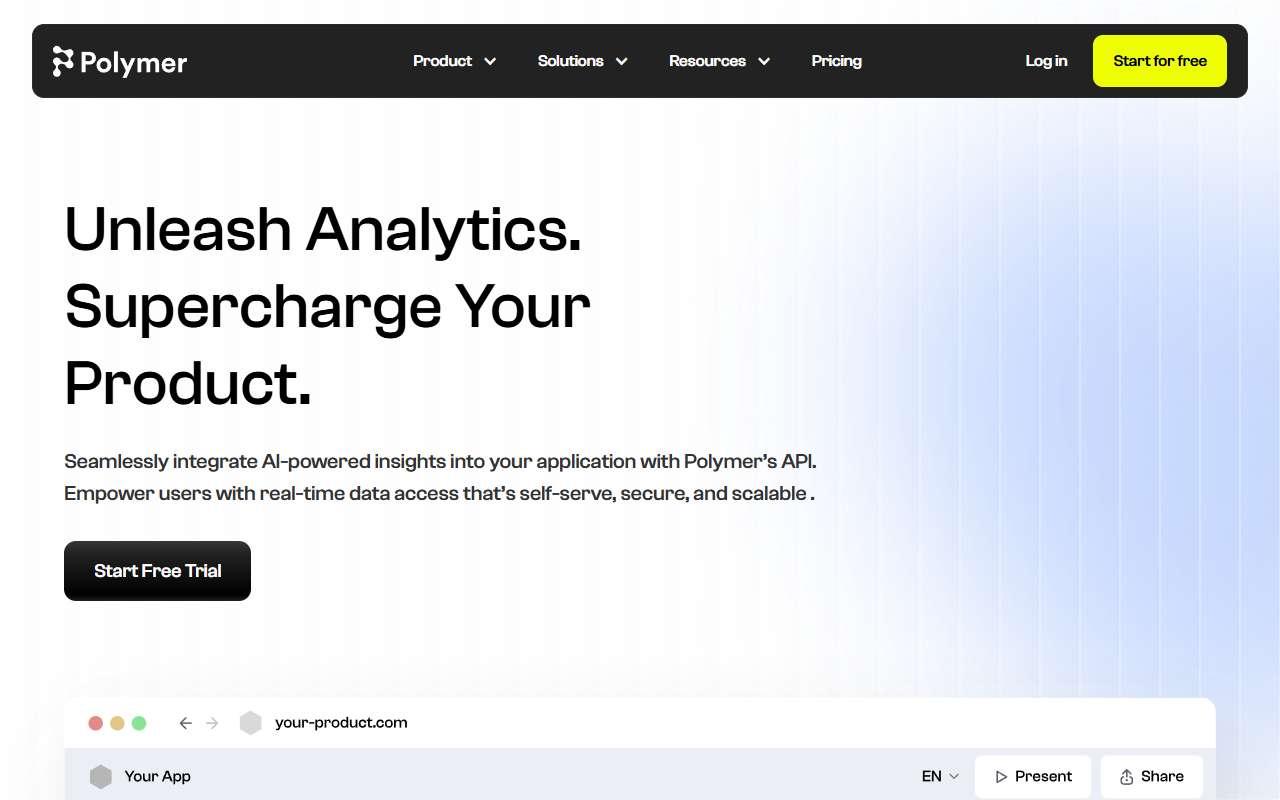
Polymer website
Homepage, captured October 2026

Overview

What it does.

Polymer is a business intelligence tool built for people who do not want to learn a BI product. Users upload a spreadsheet or CSV or connect Google Analytics, Google Ads, Facebook Ads, Shopify, HubSpot, Airtable and Google Sheets, and Polymer generates a dashboard automatically with suggested charts and insights. A conversational interface answers questions such as which campaign had the best cost per lead last month, and dashboards can be embedded or shared with clients. It also surfaces correlations and outliers without manual chart building. Typical users are marketing agencies, e-commerce operators and small-business owners who need client-ready reporting without a data analyst. Scheduled refreshes keep connected sources current on paid plans. A pilot is connecting Google Ads and Shopify and generating a weekly performance dashboard for one client. Caveat: there is no free tier beyond a trial, and it is designed for spreadsheet-scale data rather than large warehouses, so complex joins across many sources are better handled in Metabase or a dedicated BI tool.

Pricing
Free trial only; Basic $10/month ($5 annual); Starter $50/month ($25 annual); Pro $100/month ($50 annual); Teams $250/month ($125 annual); Enterprise custom (Oct 2026).
Works with
Google SheetsGoogle AnalyticsGoogle AdsFacebook AdsShopifyHubSpotAirtableStripe
Features
BI dashboardsChat interfaceDocument uploadExport optionsIntegrationsSpreadsheet analysis
Checked
October 2026

Fit

Where it fitsbest.

Open top use case
Use caseFitEffortRisk
  • BI dashboard analysis

    Auto-generated, shareable dashboards on marketing and sales data with conversational questions.

    2-4 weeks to value · Medium effort · Medium risk · moderate

    85Best fit
    MediumMedium
  • Executive reporting

    Weekly client or leadership reports generated from connected sources without manual chart work.

    1-3 weeks to value · Low effort · Medium risk · moderate

    70Review
    LowMedium
  • Data analysis

    Exploring a spreadsheet for patterns and outliers without formulas.

    1-3 weeks to value · Medium effort · Medium risk · moderate

    68Review
    MediumMedium

Verdict

Who it suits.Who it doesn’t.

Best for

  • Marketers, agencies and store owners who want automatic dashboards and plain-English answers from ad and sales data.
  • Auto-generated, shareable dashboards on marketing and sales data with conversational questions.
  • Exploring a spreadsheet for patterns and outliers without formulas.
  • Weekly client or leadership reports generated from connected sources without manual chart work.

Not ideal for

  • Data teams needing warehouse-scale modelling, governed metrics or SQL-level control.
  • Limited customisation of chart styling compared with Looker Studio or Power BI.
  • Large files slow down the browser-based interface.
  • Narrative commentary still needs a human to add context.

Pays back on

Relatedopportunities.

Run the audit
  • 01Create executive BI narratives
  • 02Assist data engineering and analytics delivery
  • 03Analyze recurring business reports
  • 04Automate document intake
  • 05Create finance planning narratives
  • 06Improve workforce planning with talent intelligence

Compare

Alternatives.

All data analysis tools
ToolCategoryPricingScore
  • Julius AI logo

    Julius AI

    AI data analyst for spreadsheets, charts, statistical analysis, and reports.

    Data AnalysisFreemium

    74
  • Power BI Copilot logo

    Power BI Copilot

    Microsoft Copilot capabilities for Power BI reports, semantic models, insights, and DAX assistance.

    Data AnalysisPaid
    82
  • Better Analyst logo

    Better Analyst

    AI data analyst formerly known as Formula Bot: generates Excel and Sheets formulas, cleans data and builds dashboards from uploads.

    Data AnalysisFreemium
    52
  • Metabase logo

    Metabase

    Open-source BI tool with dashboards, a visual query builder and Metabase AI for asking questions of a database in plain English.

    Data AnalysisFreemium
    76

Not paid placement. Verified means the listing passed our current editorial checks; it does not guarantee fit for every workflow.